


|
Name |
AirVid |
|---|---|
|
Google Play Link |
GET IT ON
Google Play
|
|
Category |
Photography |
|
Developer |
PIXOCIAL TECHNOLOGY (SINGAPORE) PTE. LTD. |
| Last version | 2.1.1 |
|
Updated |
|
|
Compatible with |
Android 7.0+ |
Introduction to AirVid
AirVid is a mobile app made for people who are serious about making their videos look top-tier without needing a full editing studio in their pocket. It’s a powerful utility tool that blends video editing with beauty retouching and smart enhancements, all packed into a surprisingly smooth user experience. Whether you're the go-to friend for birthday recaps or a creator chasing clean reels for your socials, this app rolls out the kind of control you'd expect from way pricier desktop tools but right on your phone.
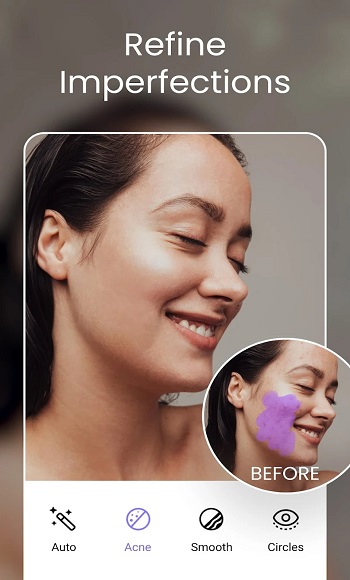
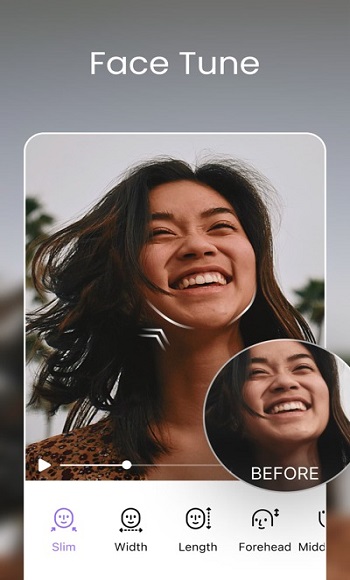
Let’s keep it real: video editing apps are everywhere, but most of them either feel clunky or way too basic. AirVid actually hits that sweet spot. You can fine-tune your clips to the point of perfection adjusting stuff like shoulder width, face structure, even the sparkle in someone’s eyes. This app doesn’t just slap filters on and call it a day. It lets you sculpt and polish your footage with some seriously detailed tools that feel intuitive even if you’ve never touched a professional editor in your life.
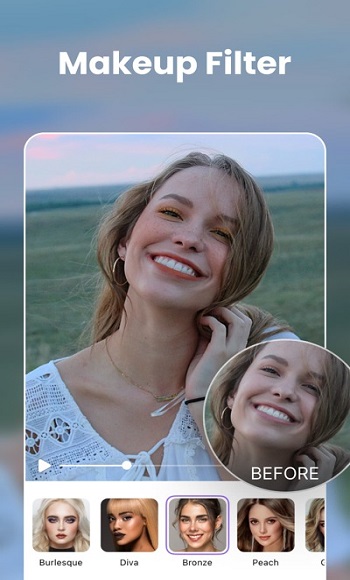
There’s something kind of wild about being able to retouch someone’s waistline or stretch out their height inside a video like, in motion. Static photo filters are cool, but AirVid takes that vibe into 3D territory. It’s especially clutch for creators who want their visual identity to be consistent across platforms. You’re not just editing clips, you’re shaping how you show up in motion. And when you want a little extra glam? The built-in makeup options bring that “ready for the feed” glow without overdoing it.
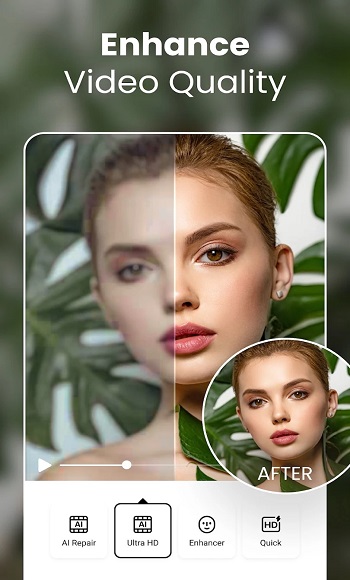
Color grading? Sharpening? Yep, that’s all here too. You’ve got sliders that make your shots pop with better lighting, cleaner resolution, and vibrant tones. Think of it like having a mini film lab right in your hand. You can go subtle with soft touch-ups, or push it to the edge and give your footage a cinematic overhaul. Either way, the results look way more polished than they should coming from a phone app.
For those who like to tweak everything until it feels just right, AirVid’s toolset won’t disappoint. Zoom into specific areas, reshape details frame-by-frame, or apply effects that follow your subject as they move. It’s the kind of precise control you don’t usually find outside of high-end editing software, but here, it’s pretty much drag, pinch, and go.
The app's vibe is very now no need to sift through complicated menus or get stuck learning how to use it. Everything flows. Whether you’re cutting clips for YouTube, TikTok, or just saving memories that look good enough to keep forever, AirVid backs you up with tools that work hard behind the scenes so you don’t have to.
In short: it’s a creative tool that respects your time and your vision. And that’s kind of rare. From cosmetic adjustments to full-on editing flexibility, AirVid puts a lot in your hands and makes it feel easy, which is honestly half the battle when it comes to video editing on mobile.
FAQs AirVid
What is AirVid?
+
AirVid is a mobile video editing app that lets users enhance visuals, apply beauty filters, reshape body features, and fine-tune clips with high precision.
Is AirVid good for professional video editors?
+
Yes, AirVid has advanced editing tools that appeal to both casual users and pros, offering features like frame-by-frame retouching and resolution upgrades.
Can I reshape body parts in my videos using AirVid?
+
Absolutely — AirVid lets you adjust shoulders, waist, height, and even facial structure with intuitive tools made for mobile video edits.
Does AirVid work on all phones?
+
AirVid is built for mobile use and works smoothly on most modern iOS and Android devices, but check your app store for the latest compatibility info.
What makes AirVid different from other video editing apps?
+
AirVid combines pro-level cosmetic editing, video clarity tools, and an easy interface, giving creators more control without overwhelming them.
Discover More Interesting Apps
-
 Mod
Mod
Dazz Cam
v5.0.10
24.90 Mb
Updated -
Lofi Cam
v2.20.3
139.06 Mb
Updated -
Mod
VSCO
v495
103.53 Mb
Updated -
Mod
Kapi Cam
v4.39.0
160.20 Mb
Updated -
Mod
Polish
v1.794.265
48.47 Mb
Updated -
Mod
Meitu
v12.18.5
447.50 Mb
Updated -
Mod
PicWish
v2.3.6
54.51 Mb
Updated -
Mod
Lensa
v6.3.8.907
138.54 Mb
Updated -
Mod
Beauty Cam
v13.3.35
210.89 Mb
Updated -
Mod
Remini
v3.7.1433.202524444
247.50 Mb
Updated







Share Your Thoughts